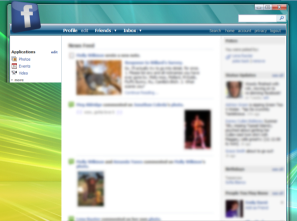
Facebook - Vista Skin

Facebook - Vista Skin
13779

The author has marked this style as obsolete.

This style was for an older version of facebook which you can no longer access.

*****
By wbar
Last updated Aug 21 2008
8 installs this week, 515 total.

This style skins facebook to look like vista. Although everything is 100% usable and very readable, this skin is very buggy. Some errors with the layout occur which, while not losing any functionality, take away from it's potential aesthetic appeal. I got stuck with some problems so I thought I would release it and see if anyone else had any ideas for how to fix it.
SO. If you see a problem, post it here. If you have the solution, please, by all means, post it too. I will include your name here in the credits if you make an important fix.
Current (known) problems:
1.) The glass on the left does not extend all the way down.
2.) Some pages shoot to far off to the right.
3.) The search bar and search link get pushed down on pages such as register.facebook.com, where there is no "The new Facebook is here!" bar.
4.) I seem to be having some difficulties modifying the search bar to suit my needs. The goal was to make it look like the one in vista's explorer. I tried putting a background color or image in input[name=q] and it wouldn't work.

Notes for use of this skin:

This script uses the CSS 3 standard "Opacity" tag, which will cause and error message when you try to preview it. Ignore it, as long as you are using FireFox 2 or better, it should work.

If the background image is too small or too big for your screen resolution, just find an image you want and change this line:
background-image: url(http://img361.imageshack.us/img361/9800/bgwu5.jpg) !important;
(it's in the body tag near the top) to link to whatever wallpaper you want to use. It does not even have to be the same Aurora style. If you link to a file on your computer, use this format:
background-image: url(file:///C:/Windows/Web/Wallpaper/img10.jpg) !important;

Also, if the images do not load, you may have to "force" them to load by visiting these links:
http://img361.imageshack.us/img361/9800/bgwu5.jpg
http://img156.imageshack.us/img156/2633/toprightjq5.png
http://img205.imageshack.us/img205/8825/topleftej3.png
http://img387.imageshack.us/img387/5999/toplefthoverey1.png
http://img148.imageshack.us/img148/9983/contentbg2qs4.png
http://img156.imageshack.us/img156/5239/footertg0.png
http://img177.imageshack.us/img177/8025/searchbuttonnx7.jpg
http://img165.imageshack.us/img165/9110/searchbuttonhovervy1.jpg
http://img156.imageshack.us/img156/2263/contentbgym4.png

::CREDITS::
Facebook icon in top-left: me
Glass PSD Resource: Jordy (http://www.joejoe.org/forum/index.php?showtopic=91&hl=vista+glass - slightly modified)
Code: I drastically modified the Deviantart > Facebook (http://userstyles.org/styles/2461) skin's code to suit my needs, as this is my first time making a stylish skin.
And of course, several of the graphics (minmaxclose buttons, search button, footer etc.) were taken from screenshots of Microsoft's Windows Vista.

Screenshot

Install options

Feedback

Reviews

raya said on Sep 14 2008

I love it, but it doesnt work with the "new" facebook :'(

the homepage does, but then when it goes to new.facebook.com/home.php then it just shows their orignial code.

MAJOR PROPS ON THIS IF YOU GET IT FIXED!!!! *****

Mo11ard said on Aug 24 2008

BEST EVAR. *****

.ad {
/* Your ad can be here instead. 10K unique visitors for $5/day. Mail me. */

}