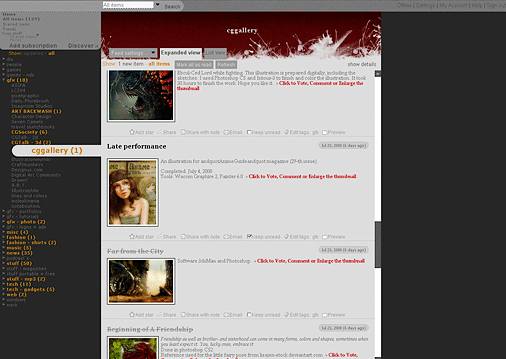
Google changed the Reader and broke the style
( http://googlereader.blogspot.com/2008/12/square-is-new-round.html ).
I´m not shure if I´m gonna update the css.
Install
The recommended way to install user styles is to use Firefox with Stylish.

If you already have Firefox with Stylish, make sure this site is allowed to run JavaScript.
You've installed this user style in Stylish. To uninstall it, open the Tools menu, choose Add-ons, click the User Styles panel on the top, click on the entry for this user style, and click Uninstall.
Like customizing Firefox? Customize your new tabs with New Tab King.
You've installed this user style in Stylish. To uninstall it, open the Tools menu, choose Stylish, and remove the entry from there.
You've installed this user style in Stylish, but a newer version is available.
To uninstall this user style, open the Tools menu, choose Add-ons, click the User Styles panel on the top, click on the entry for this user style, and click Uninstall.
Like customizing Firefox? Customize your new tabs with New Tab King.
The recommended way to install this user style is to .
-Header-image is easily changeable: I just made a quick and simple header, so just link to an url with a header-image (700px x 120px) you prefer and overwrite the data-url or insert your own one.
-The complete "entry-width" is easily changeable too (for people whose eyes loves to wander along loooooooooong lines ;) ). If you change this, the header-image might need an other resolution.
Turn line-wrap "off" in stylish-manager to access these points quickly on top of the CSS.
-Looks best in Resolutions bigger than 1024x768 (I use it on 1600x1200 with opened Bookmark-Sidebar) (I use primary the "show: all items" "Expanded-View", so the other sections are styled pretty basic.)