The recommended way to install user styles is to use Firefox with Stylish.
If you already have Firefox with Stylish, make sure this site is allowed to run JavaScript.
You've installed this user style in Stylish. To uninstall it, open the Tools menu, choose Add-ons, click the User Styles panel on the top, click on the entry for this user style, and click Uninstall.
You've installed this user style in Stylish. To uninstall it, open the Tools menu, choose Stylish, and remove the entry from there.
You've installed this user style in Stylish. To uninstall it, click the wrench icon, Extensions, click Options beside the entry for Stylish, and click delete for the appropriate entry.
You've installed this user style in Stylish, but a newer version is available.
To uninstall this user style, open the Tools menu, choose Add-ons, click the User Styles panel on the top, click on the entry for this user style, and click Uninstall.
The recommended way to install this user style is to .
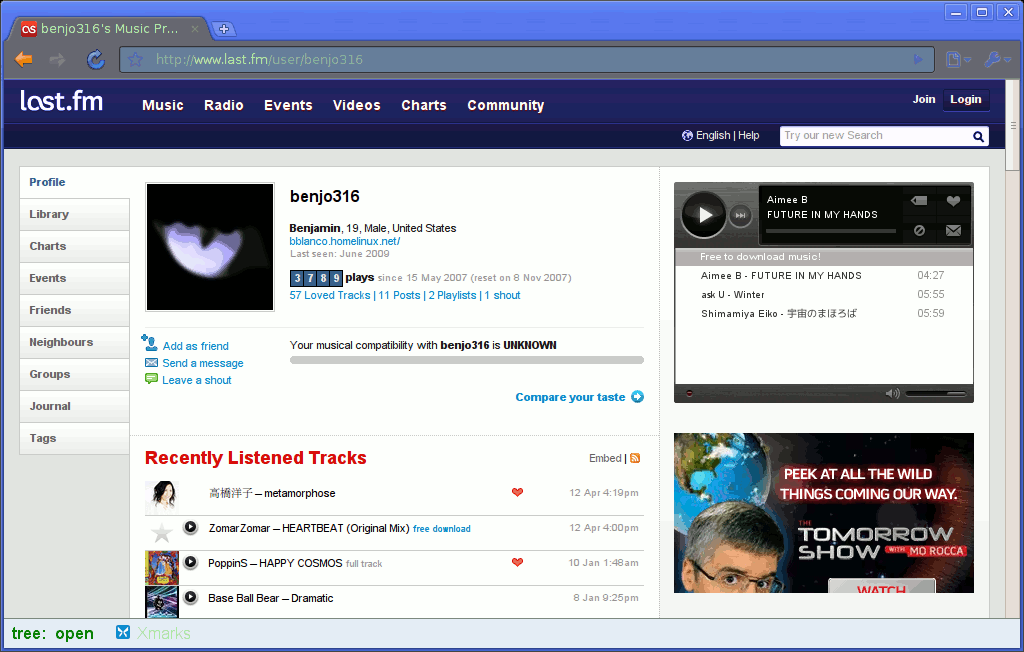
Turns Last.fm blue. Suggestions on improvements are welcome. If you do make a suggestion and I decide to use it, I will put your user name down along with what you contributed. If you would like to remove the globe from next to the language selection link, uncomment the section under "Remove Globe".
First style for stylish, so go easy on me. ^.^
Companion Greasemonkey script: http://userscripts.org/scripts/show/32236 ^ Changes red globe image to black[white] globe, attempts to change music player background color.
Note: Because they're using a sprite, you can choose from their black and red themes and get different looks. With this style applied if you use the red theme, the header will look more flat; if you use the black theme, it will look more round. I personally like the round look, but I'll leave that choice up to you.
Changes now listed at this blog post: http://ben-deepthought.blogspot.com/2009/09/lastfm-paint-it-blue-userstyle.html Comments accepted there or here, but I'll be more likely to respond quickly if you comment at my blog.