The recommended way to install user styles is to use Firefox with Stylish.
If you already have Firefox with Stylish, make sure this site is allowed to run JavaScript.
You've installed this user style in Stylish. To uninstall it, open the Tools menu, choose Add-ons, click the User Styles panel on the top, click on the entry for this user style, and click Uninstall.
You've installed this user style in Stylish. To uninstall it, open the Tools menu, choose Stylish, and remove the entry from there.
You've installed this user style in Stylish. To uninstall it, click the wrench icon, Extensions, click Options beside the entry for Stylish, and click delete for the appropriate entry.
You've installed this user style in Stylish, but a newer version is available.
To uninstall this user style, open the Tools menu, choose Add-ons, click the User Styles panel on the top, click on the entry for this user style, and click Uninstall.
The recommended way to install this user style is to .
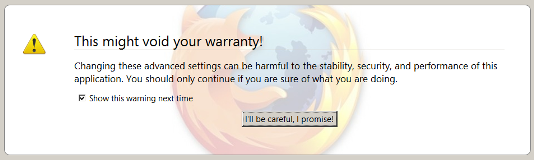
Makes About:Config's Warning display a background image of your choice. About Config allows you to change Custom configurations to your browser and Configure Arguments. Another excellent way to implement a new UI feature for your favorite web browser.
The warning reads: This might void your warranty! Changing these advanced settings may be harmful to the performance, security, and stability of this application. you should only continue if you are sure of what you are doing.
Features: - Appears on about:Config (Warning) - Fully customizable style, for your own enjoyment.
Additional Information: This style works on ALL builds of the browser, so whether you are in the Default update channel, or have ventured into the Betas or Nightly Build channels, this style will work for you.

Instructions: In the CSS, change the website image I provided to the image you wish to display You may also change the background HEX color to match your image. The background color of text in this style has not been changed.