Custom UI Font Family and Font Size

Custom UI Font Family and Font Size
7858

How to install

Created by -=Ben=-. Last updated Jun 02 2008.
19 installs this week, 1086 total.
*****

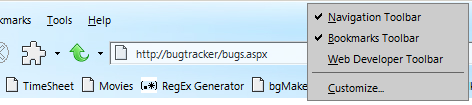
Customize your whole browser by specifying a custom Font Family and Font Size. This allows you to use a better-looking font, for all of the User Interface (UI). Works on Firefox 2 AND Firefox 3. Also, setting the font to a smaller, compressed font and size will allow you to fit more information on your browser toolbars.

Applies to:
- MenuBar (File, Edit, View...)
- MenuButtons (Text below Toolbar Buttons)
- MenuList (Items within File, Edit, View...)
- Menus (Right Click Context menus)
- Toolbars (All toolbars)
- SideBars
- Tooltips (Hover over links...)
- Optionally, Textboxes (Must uncomment code provided)

Supplied Code:
- Currently, I supplied the following Fonts in the Code:
1. Segoe UI (User Interface of Vista)
2. Calibri (Text of Vista)
3. Verdana (XP Font)
4. Helvetica (XP)
5. Tahoma (XP User Interface Default Font)
6. Arial Global Font
- Default Font Size - 11 point.

Works on Versions:
+ Firefox2
+ Firefox3

Supported Operating Systems:
- Vista
- XP
- 9x
- No current Mac/Linux support, but you can EASILLY add Mac and Linux fonts to the list to get it to work. (I just don't know any Mac/Linux Fonts!)

Integrates with Change Text Highlighting Selector Color

Additional Information:
Feel free to change the default font list and Size to match your Operating System.

Changelog:
- Initial Release

Before
After

Feedback

Reviews

Christoph Conrad said on Jun 21 2008

Great! Works perfectly. I like bold fonts, so i added

font-weight: bold !important; *****

Discussions

Start a new discussion

Try KallOut Accelerators for Firefox

Mail the admin.