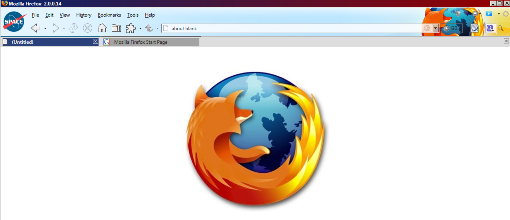
Makes About:Blank display an image of your choice. Excellent way to implement a new UI feature for your favorite web browser.
Integrates with Custom New Tab Loading Image - Personalized Logo and if both styles are installed, you can customize both the about:blank look AND the new-tab's background image as well.
Features:
- Appears when opening Firefox
- Appears when downloading files
- Appears when a blank tab is opened
- Appears when a closed tab is re-opened or restored
- Appears when a page transitions within same domain
- Appears when loading certain Addons that use a tab to display contents (such as Brief RSS Reader, and Regular Expression Tester)
- Appears as background of Mr Tech's Local Install - My Config
- Appears as background of an opened "Scanned Page" from the Update Notifier extension
- Appears while loading a page's source code
- Appears when loading your bookmarks sidebar
- (NEW) Will NOT appear as the background image when composing or replying to an email in Google's Gmail [FIX]
- Clean and very appropriate default image, included with style (Firefox logo - shadowed)
Additional Information:
This Style has been tested on multiple Firefox Themes, and has worked perfectly on each.
Locate the About-Blank page by typing about:blank in your locationbar or the Firefox 3 Awesome Bar (AwesomeBar)
*NOTE: Please Clear your Cache and Restart your browser after installing or changing this style, your custom image will need to be cached in order for it to be displayed.
Instructions:
In the CSS, change the website image I provided to the image you wish to display
You may also change the background HEX color to match your image
Fully customizable style
Changelog:
1.0.0.1:
+ Fixed Issues with Gmail Reply, Conversations and Forwards. Now Gmail window areas will not show the background, and you can now email and chat without any nuisances. This was requested by a user.... Thanks for your input!
-Note: ** This update IS REQUIRED, so please make sure to backup your custom About:Blank Image and Background information before updating to the latest version, Thanks!

Before
|
After
|
Just tried this and it works perfectly! Very simple to use, and should be even for a person who isn't very good with computers. Thanks!
Edit: This has been working great, but the logo/image shows up in places I do not want it to show up, such as in the compose mail space of Gmail. Any way to disable this in such areas? Thanks.
Update (May 29th, 2008): Thank you very much for updating the style so that the logo no longer shows in Gmail's compose message box! I really appreciate the update =)
Nice to see the constant updates! Great fix for the GMAIL!!!!
Great work. Great Fix on the Gmail issue!! Wonderful Update!