userstyles.org - Google Accounts Fresh Clean Login Screens

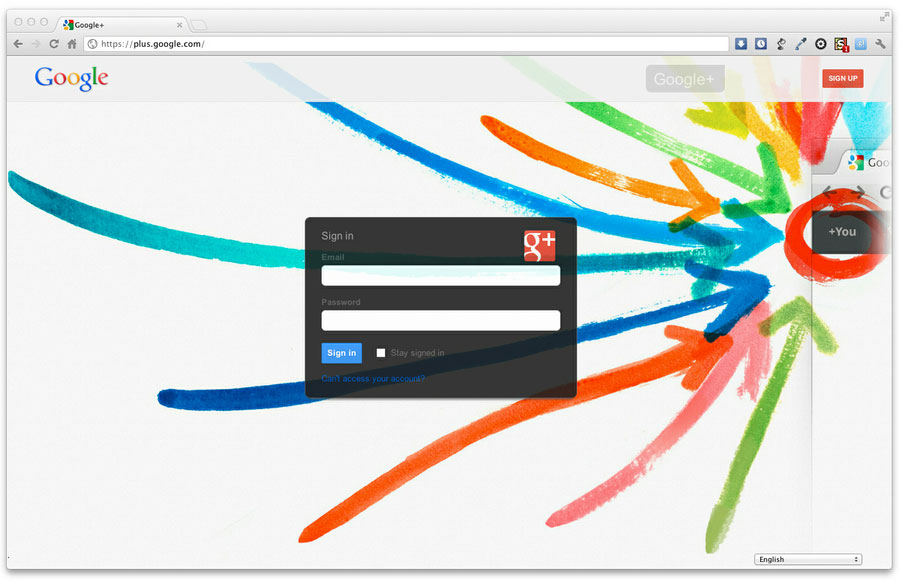
Google Accounts Fresh Clean Login Screens will give you new login screens for most all Google products/services!
(Google +, Google Play, Drive, Docs, Gmail, Youtube, Maps, Latitude, Reader, Agenda, Groups, News, Photos [Picasa], Wallet [Checkout], Offers, Shopping, Sites, Finance, Developer, Code, Orkut, Blogger, ) and More.

With one installation you'll enjoy a new look for all your Google services/products, here means web apps. No more annoying ads and cluttered stuff, just a beautiful login screen.

Check my Blog post for more full screenshots and details. Creative Userstyles - google Accounts login Screens

http://creativeuserstyles.blogspot.com.br
To use this style, install Firefox and Stylish. If you already have Stylish, make sure this site is allowed to run JavaScript.
Google Accounts Fresh Clean Login Screens
66030
66303
google

More Info

Author Adriano Monecchi
Created May 27, 2012
Updated Jun 13, 2012
Installs (this week) 18
Installs (total) 1,527
Last update: May 27, 2012
Version: 1.0

Overview:
Giving the fact Google has reached a satisfactory design consistency amongst its web apps, I've just come with this solution to give your Google services Login Screens an amazing fresh clean look. I hope you like it!

Features:

- Custom Login Screen for Google services such as Google +, Google Play, Drive, Docs, Gmail, Youtube, Maps, Latitude, Reader, Agenda, Groups, News, Photos [Picasa], Wallet [Checkout], Offers, Shopping, Sites, Finance, Developer, Code, Orkut, Blogger and more.
- Custom backgrounds, icons and optimizations for different services (Check yourself some of the services you use or services suggested by Google in the top bar navigation at http://www.google.com) - to see the login screens you must be of course logged out
- Custom Roboto font used by google on its Android mobile operating system IceCream Sandwich for some screens
- Gmail Ads removal / No ads distraction or links for other Google products after you login on your Gmail's inbox


It was full customized to let you know where you are about to login, as I've kept the name and icon for each Google service, all other stuff was wiped out to enhance the fresh look. Information such as service description and promo info was removed, then assuming you already know almost everything about the Google services you use this will not be a problem for you.

Feedback

Discussions

No discussions posted yet. Be the first to ask a question or review this style.