Autohide Menubar

Autohide Menubar
7848
****
Last updated Apr 16 2008
33 installs this week, 1054 total.

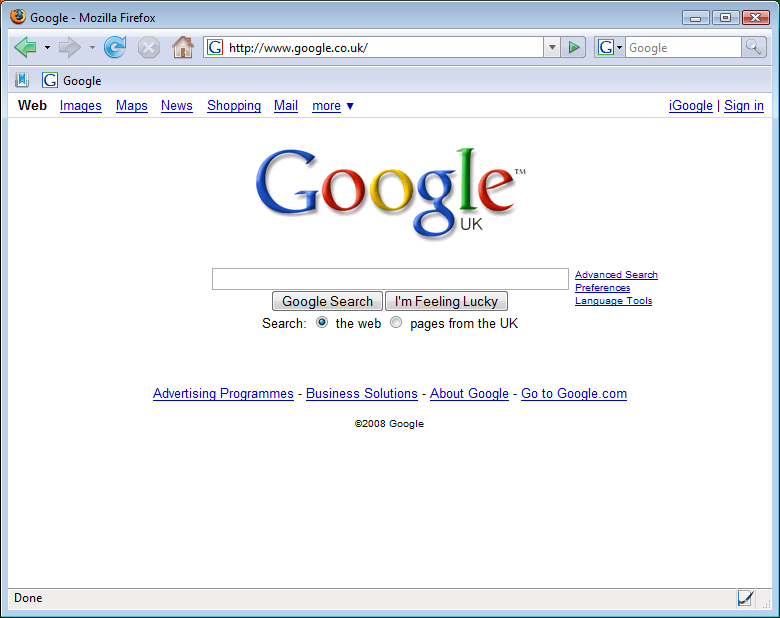
This style automatically hides the menu toolbar until you mouse over where it should be, i.e. above the navigation toolbar. When you mouse over, it reappears and rolls the other toolbars down below it. It disappears again when you move the mouse away.

This is great for saving vertical screen space and avoiding extensions which merely compact the menu toolbar into a single menu button.

Inspired by the Hide Menubar extension (https://addons.mozilla.org/en-US/firefox/addon/4762) which hides the menu until you press the Alt key, and NettiCat who submitted code for a mouse-based version rather than keyboard.

Compatible with Firefox 2 and 3.

**********

Tip: Add toolbar buttons to the menubar that you don't wish to clog up your regular toolbar. This way they are still there when you need them but out of the way when you don't. You may need to temporarily disable the style in order to drag buttons to the menubar.

**********

UPDATE:

Now hides the ugly 1 pixel solid line that was visible above the navigation bar when the menu toolbar was hidden. Unfortunately, this fix doesn't work for Firefox 3 though, however the style is still fully functional.

Before
After

Install options

Feedback

Reviews

Dove Boy said on Sep 16 2008

Now, it works on FF3, that's good. *****

Freestyler said on Apr 21 2008

Yeah, the large height makes it more controllable in my opinion and it does not bother me too bad to have little thicker line showing. Nice update you did on your style, im using FF 3 beta tho, so it won't work for me, at least for now. ****

Dman said on Apr 16 2008

Doesn't work in Firefox 3.

I believe the offending code is the '//Autohide menubar' line. Unless you know something I don't, that can't/won't affect it. // is not the proper comment for CSS. Try /*comment here*/ instead.

dman ***

.ad {
/* Your ad can be here instead. 10K unique visitors for $5/day. Mail me. */

}