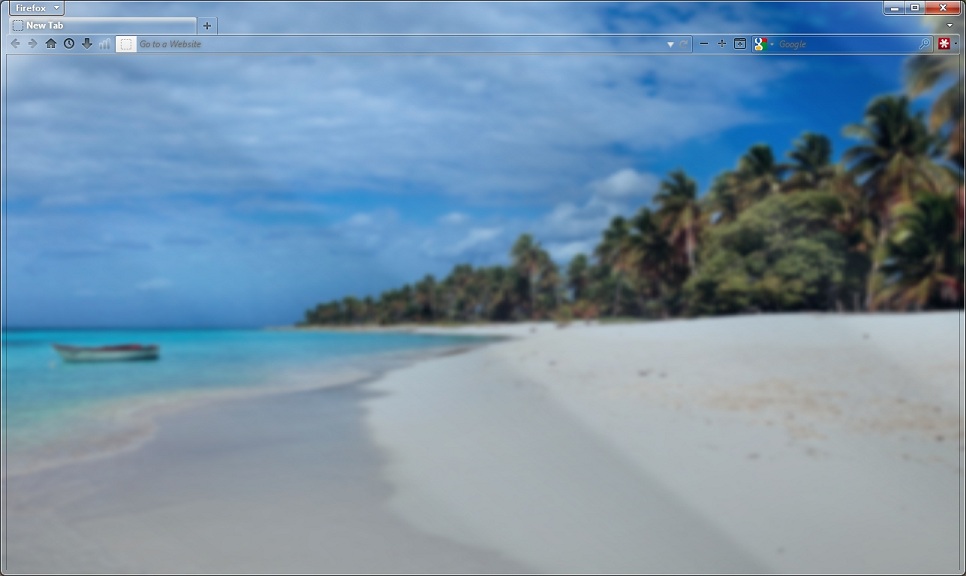
Tired of never seeing your desktop background because your browser is always open and maximized? Try this.
Based on my "Aerofox Transparency" theme. I just added the address box and search box transparency on this one. I left the previous one as a separate theme in case you prefer the text entry boxes with white background (I go back and forth depending on the day).
Credits due to Satoz' "Discreet Transparency" and foxxyn8's "About:Blank Glass", which I combined and built upon to create a minimalistic theme close to the classic theme, but totally transparent, in the spirit of Windows 7 Aero.
If you installed this style, please take the time to review it and leave your feedback.
Based on my "Aerofox Transparency" theme. I just added the address box and search box transparency on this one. I left the previous one as a separate theme in case you prefer the text entry boxes with white background (I go back and forth depending on the day).
Credits due to Satoz' "Discreet Transparency" and foxxyn8's "About:Blank Glass", which I combined and built upon to create a minimalistic theme close to the classic theme, but totally transparent, in the spirit of Windows 7 Aero.
If you installed this style, please take the time to review it and leave your feedback.
More Info
| Author | akarmique |
|---|---|
| Created | Feb 28, 2012 |
| Updated | Jul 1, 2012 |
| Installs (this week) | 80 |
| Installs (total) | 4,270 |
| Average rating |
|
This style is designed for Windows 7 with Aero effects turned on. To enjoy it fully, your start page and new tab preferences should be set to open a blank page.
2012-07-01: Modified for compatibility with Fx 13. Haven't figured out how to make the background of the new tab transparent while keeping the thumbnails visible yet. Adjusted the transparency of the whole page to 50%. Change 'opacity' under '#main-window[stylish-url="about:newtab"]' to 0 if you want it fully transparent (you won't be able to see the thumbnails) or 1 if you want it fully opaque.
2012-02-29: Changed name from "Total Transparency!" to "Aerofox Transparent +"—because apparently you can't fool around with hyperbole on the Internet anymore ;)
2012-07-01: Modified for compatibility with Fx 13. Haven't figured out how to make the background of the new tab transparent while keeping the thumbnails visible yet. Adjusted the transparency of the whole page to 50%. Change 'opacity' under '#main-window[stylish-url="about:newtab"]' to 0 if you want it fully transparent (you won't be able to see the thumbnails) or 1 if you want it fully opaque.
2012-02-29: Changed name from "Total Transparency!" to "Aerofox Transparent +"—because apparently you can't fool around with hyperbole on the Internet anymore ;)