Gmail 2 - remove ads but keep "Print all" button

Gmail 2 - remove ads but keep "Print all" button
5718
****½
By Vitj0k
Last updated Feb 19 2008
33 installs this week, 960 total.

Based on Gmail 2.x - remove ads and widen message body.

Removes all ads, but keeps important buttons like "Print all", "New window", "Expand all" and "Forward all"

Update (Feb 19 2008)
- Changed position of the "New window" and "Print all" links
*** I hope that this is the most rational solution. Elsewhere links hinder the basic elements of the interface. Please rank it! ***
.yMuNaf {
position:absolute !important;
left:0 !important;
top:23px !important;
}

.jsbnre {
padding-bottom:28px !important;
}

Update (Feb 16 2008)
- Changed position of the "New window" and "Print all" links (Thanks to maxxyme)
.yMuNaf {
position:absolute !important;
left:450px !important;
top:-30px !important;
}

Update (Jan 25 2008)
- Added
[class*="gV2Gwc"]{
width : 99% !important;}
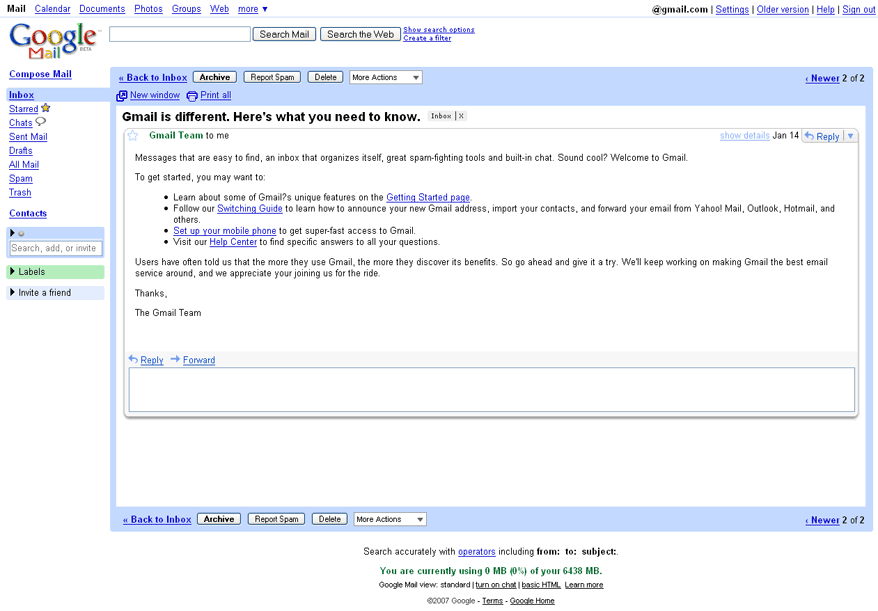
Makes the text area for typing the reply of the same length as the original message. (Thanks to florentin)

Before
After

Install options

Feedback

Reviews

obrienatrix said on Jul 15 2008

It's very nice, and a great idea, but incompatible with other attractive minimalist Gmail 2 styles like the Cleaner or Cleaner & Tweaker families. Suggestions? I'm a bit of a styles newbie... ****

maxxyme said on Jun 30 2008

The new "about these links" can be hidden thanks to .iFOJMb {
display: none !important;
}
Greets! ****

Josh Katinger said on Jun 29 2008

This is an excellent style. Thanks very much. However, anyone notice that lately there is an "about these links" hyperlink showing up to the right of there the ads would normally be? It makes a horizontal scroll bar show up in my browser, very annoying. Anyone got a fix for this? I tried several things, but the CSS for Gmail is totally mystifying for me. *****

Crane.tr.stylish said on Jun 18 2008

Amazing. Gets rid of the ads, uses the space it saves, keeps the buttons and it all looks good too - could not ask for more - 5/5 *****

timepiece said on May 28 2008

I love this style - so much better than just hiding the whole ad column and not having the useful links.

I don't suppose you could find a way to show the special links generated by content? Especially when I get "would you like to track this package"? *****

GlennA said on Apr 19 2008

Excellent. Works great. Just wondering though: I don't really mind seeing (usually ignoring) ads in the "view" panel, but really just in the reply/forward/draft compose panel (and I feel some obligation to Google to at least let them be presented--sometimes they're even funny), so would it be possible to create a variation that just removes ads when you're replying, forwarding, or working with a saved draft? Thanks. *****
mastavic said on Mar 05 2008

This is EXACTLY what I have been looking for. I was using a different one, but Gmail recently changed some codes and that one no longer worked. I have tried all of the ad-blocking Gmail styles here and this is the only one that completely works. I just started using it though, so I am hoping I won't encounter any problems. Thanks! *****

teras said on Feb 27 2008

It perfectly works for me, too *****

war59312 said on Feb 20 2008

Excellent, thanks for keeping up to date!! *****

fowl said on Feb 07 2008

Brilliant! Thanks. *****

Batshua said on Feb 03 2008

It's not working for me. :/ *

florentin said on Jan 25 2008

Great style!!
Just for the sake of symmetry, I added this part at the end, before the closing bracket:

[class*="gV2Gwc"]{
width : 99% !important;}

This addition makes the text area for typing the reply (as showed in the screenshots, below the original message) of the same length as the original message. *****