The recommended way to install user styles is to use Firefox with Stylish.
If you already have Firefox with Stylish, make sure this site is allowed to run JavaScript.
You've installed this user style in Stylish. To uninstall it, open the Tools menu, choose Add-ons, click the User Styles panel on the top, click on the entry for this user style, and click Uninstall.
You've installed this user style in Stylish. To uninstall it, open the Tools menu, choose Stylish, and remove the entry from there.
You've installed this user style in Stylish. To uninstall it, click the wrench icon, Extensions, click Options beside the entry for Stylish, and click delete for the appropriate entry.
You've installed this user style in Stylish, but a newer version is available.
To uninstall this user style, open the Tools menu, choose Add-ons, click the User Styles panel on the top, click on the entry for this user style, and click Uninstall.
The recommended way to install this user style is to .
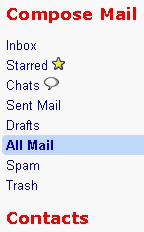
I liked having "Compose Mail, Contacts, and SignOut" in Red Bold. However, I have been updating this thing constantly due to constant element changes; this was to be my final edit, and I obsoleted it, and then thought "What the hell, this is cool!!" so I've unobsoleted it and fixed it.
These elements change often; don't be surprised if they "go away," but often I update that same day. Use DOM Inspector to inspect the element of what's changed, and correct the style yourselves to suit your particular address anomalies. Last change before this was April 25th; it will continue to be in flux. Today is July 14th 2008, and yet more changes - so I think we can expect new changes every 2-3 months. Enjoy while it lasts!! /