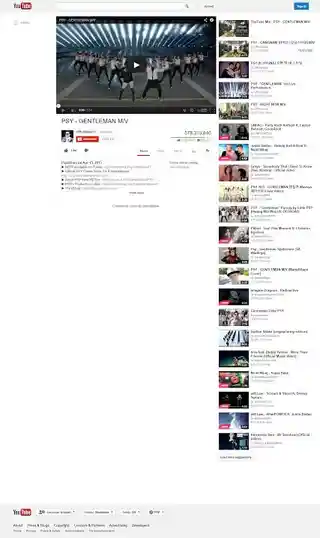
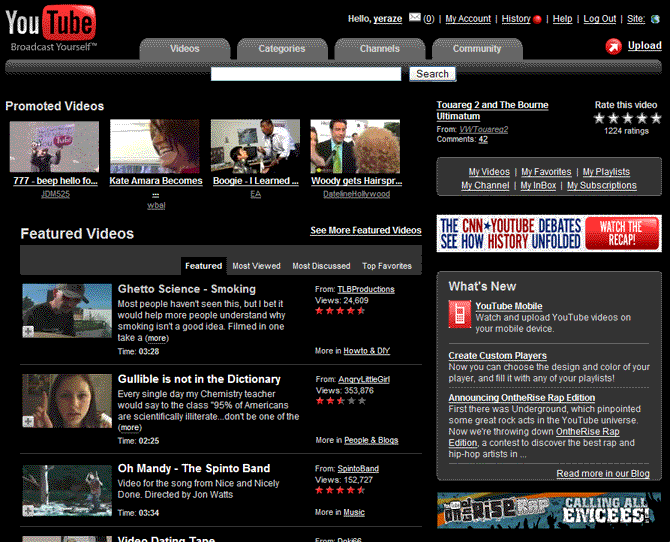
This is a slight modification to the existing YouTube.com - dark gray redesign (vc) style with a fix applied to make the tabs at the top work correctly again.
Comment Replies:
YouTube Googler - I'm using this now (thanks for pointing it out), and from what I see the two work just fine together.
*Updated 7/30/07
Converted the tabs to rounded images.
*Updated 7/31/07
Extended the theme to the Help & Jobs pages
Slight modification of hard-to-read text
tab colors not enough contrast too bright, logo white
is the best one , but comments :S put the comments :D
Needs updating, the comments disappeared..
Great work.... Have been using this for quite sometime now... A few weeks ago everything was working fine with youtube but now the comments don't show!! With this style uninstalled, youtube returns to its normal self with the comments and everything... Am i doing something wrong or is there a problem in the code?
Try fixing your code, even if it is just an edit of the last one you left in a bit of coding that does nothing at all, so I'd say your code officially has some "bloat" to it. If you're curious what I'm talking about see my reply on the page of the original style. The css section mentioned in that reply is the part you should consider editing in this style.
Also, you might consider doing an image replacement to make the tabs gradient and not just one solid color. Gradient tabs look much nicer than solid colors with a border.
Fix these things and I'll re-rate this style.
EDIT: Great! I've gone through the site and all related links and found a few more fixes you might want to consider adding in to the style:
@-moz-document domain("youtube.com"), url-prefix("http://www.google.com/support/youtube/"), url-prefix("http://www.google.com/support/jobs/bin/static.py?page=youtube") {
That is a new listing of URLs to apply it to. It adds two google.com URLs (the help page for youtube and the jobs page for youtube). Up next is a few simple changes to divs and other colored areas with hard to read text:
#pageContainer, #statsBox, #localePickerBox, #subnavSidebar .navItemHighlight, .yellowBox { background: #444 !important; border: 1px solid #666 !important; }
#mastheadTable, #as, #vh, #ql, #notopbox, #leftDiv, #rightDiv, #subnavSidebar, .topic_body, .module_body, .module_hdr { background: #333 !important; border: 1px solid #666 !important; }
EDIT#2: And now you get a 5 star rating.
Edit#3:
This page here - http://www.youtube.com/signup - needs some styles as well. Most notable would be these:
#loginForm
#signupFormAlso, when doing a search this box appears at the bottom and needs some css restyling as well:
.changeSearchTypeLinksYou may also want to consider making the background of the buttons to remove subscriptions match the background of the layer they are in. Go here - http://www.youtube.com/subscription_center - and click on any of the names of people you are subscribbed to, then look at the "Unsubscribe" button. See how it has a black area between it and the next button? You might want to make that black area the same gray color as the rest of the area around it.
#manageContent .controls form
Any chance you could make this gel with YouTube Googler?
http://userscripts.org/scripts/show/6198
If so, I'll gladly award five stars. :)