The recommended way to install user styles is to use Firefox with Stylish.

If you already have Firefox with Stylish, make sure this site is allowed to run JavaScript.
You've installed this user style in Stylish. To uninstall it, open the Tools menu, choose Add-ons, click the User Styles panel on the top, click on the entry for this user style, and click Uninstall.
You've installed this user style in Stylish. To uninstall it, open the Tools menu, choose Stylish, and remove the entry from there.
You've installed this user style in Stylish. To uninstall it, click the wrench icon, Extensions, click Options beside the entry for Stylish, and click delete for the appropriate entry.
You've installed this user style in Stylish, but a newer version is available.
To uninstall this user style, open the Tools menu, choose Add-ons, click the User Styles panel on the top, click on the entry for this user style, and click Uninstall.
The recommended way to install this user style is to .
I love Meebo for instant messaging pals on any network, but I don't like their logo or branding... or the chat rooms... I wanted pure chat and nothing more.
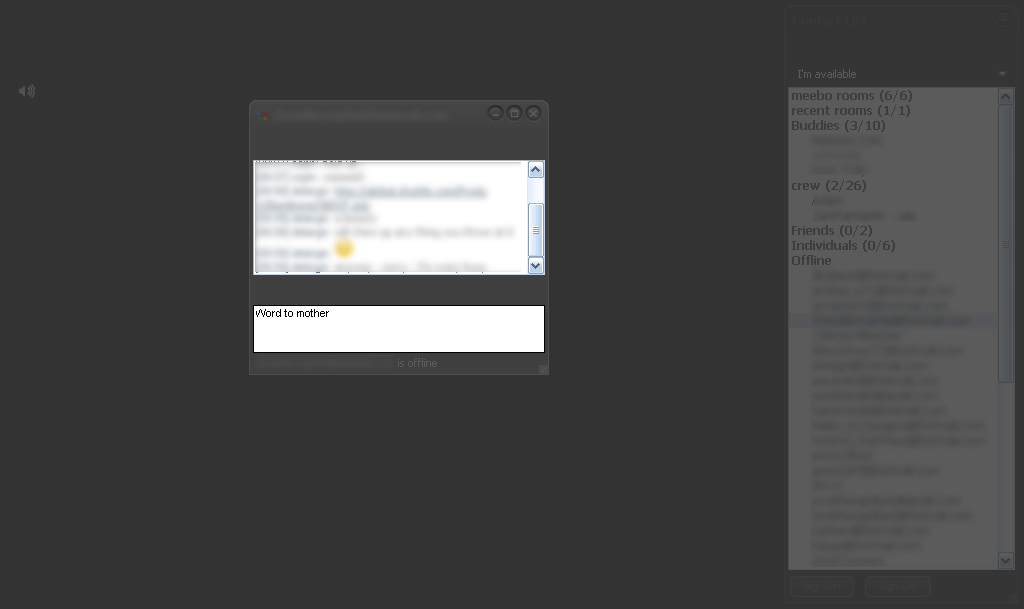
The dark and bare theme strips out all buttons, logos, navigation, the meebo blog window and the chat rooms in the footer and leaves with an opaque / faded buddy list and chat windows, and not much else - but that's the idea. ------------------------------- Select the 'Onyx' theme in the 'preferences' section of Meebo when signed in. That's the theme this works with best. ------------------------------- The signing in and 'reconnect with meebo' pages are not as affected. The main signing in page will have a dark background and a faded 'Sign On' button - but it still works just fine.