userstyles.org - Aerochan

Deleted!

This doesn't even work unless you use an old Firefox which you shouldn't.

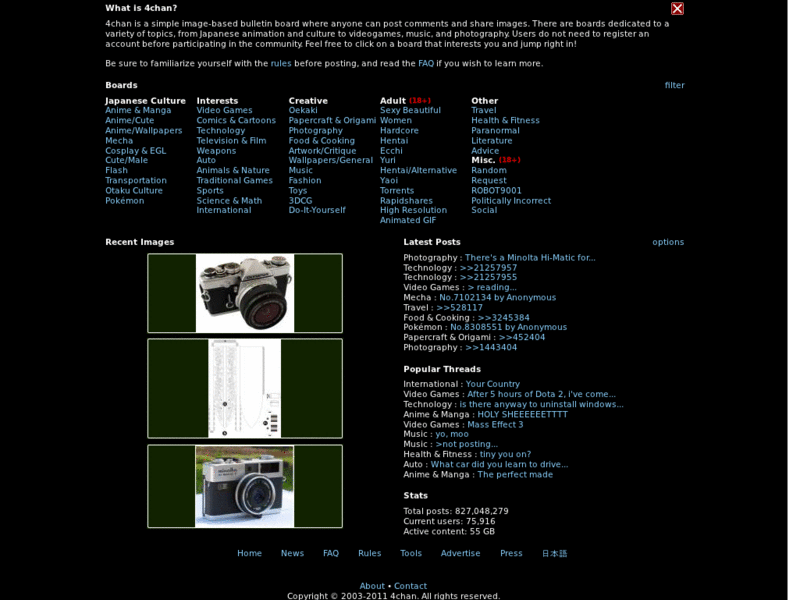
More screenshots:
Author !K.WeEabo0o
Created Apr 13, 2010
Updated Apr 13, 2010
Installs (this week) 0
Installs (total) 2,196
Just a simple port of lilmoder's Aerochan .20100324 for Opera.

ONLY WORKED ON FIREFOX 3.0 - 3.6.

My screenshot:
http://img85.imageshack.us/img85/7809/14715955.png
Anon's screenshots:
http://img245.imageshack.us/img245/4637/64522814.png
http://img263.imageshack.us/img263/6241/97134395.png
(Note the error with the 4chan extension.)
Screen by lol so !RaNDumxD/w:
http://img193.imageshack.us/img193/8329/1271192079176.png
And finally, a screenshot/bugreport by Ouroborous !DRUMSGGSS2:
http://img52.imageshack.us/img52/8135/1271190873186.png
As you can see, the font appears pretty much unreadable if the glass is very transparent and there's something bright in the background.
My suggestion is to turn up the 'color intensity' in your Windows appearance options, turn off ClearType, or edit the stylesheet. Change the font, add some background or add more text-shadows.
To use this style, install Firefox and Stylish.
Aerochan
38582
27793
4chan

More Info

Requires a glass addon that glasses the statusbar.
I recommend this: https://addons.mozilla.org/en-US/firefox/addon/12181

The biggest glitch would be how the glass gets toggled, and it seems to be a limitation in the addons. The glass doesn't want to take effect immediately.
Hovering over your urlbar and/or tabs should trigger it on when you go to a 4chan tab, but when you switch to some other tab that page might also appear glassed.
Hover around your toolbars again to get the other page 'unglassed' (Ouroborous !DRUMSGGSS2 triggered it by clicking the 4chan tab and then the 'other').
I don't know a better solution.

Feedback

Discussions

Ask a new question or add a review for this style.