The recommended way to install user styles is to use Firefox with Stylish.
If you already have Firefox with Stylish, make sure this site is allowed to run JavaScript.
You've installed this user style in Stylish. To uninstall it, open the Tools menu, choose Add-ons, click the User Styles panel on the top, click on the entry for this user style, and click Uninstall.
Like customizing Firefox? Customize your new tabs with New Tab King.
You've installed this user style in Stylish. To uninstall it, open the Tools menu, choose Stylish, and remove the entry from there.
You've installed this user style in Stylish, but a newer version is available.
To uninstall this user style, open the Tools menu, choose Add-ons, click the User Styles panel on the top, click on the entry for this user style, and click Uninstall.
Like customizing Firefox? Customize your new tabs with New Tab King.
The recommended way to install this user style is to .
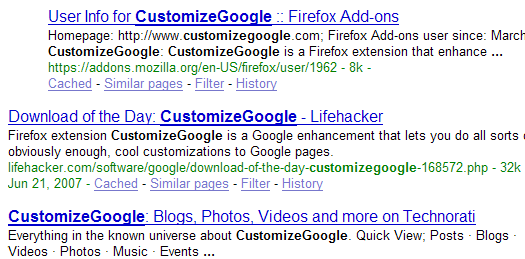
When the "filter" option is used in CustomizeGoogle (a wonderful extension, by the way), the filtered results are replaced with a line of text alerting you that a result has been removed.
Originally inspired by Google Search Results Filter, the purpose of this style is to ENTIRELY remove ALL filtered search results; if I intended to filter a specific site, I don't necessarily want to a giant hole in the layout of search results. This style takes care of that, removing any trace, all without breaking the layout of the page. Also, you do not have to update your "list", as there is no "list," as there is in Google Search Results Filter.
This style works for both sites CustomizeGoogle filters: 1) Google search results and 2) Google News
(03-08-08 - updated to include the inexplicable addition of the "http://www.l.google.com" domain) (09-02-08 - updated to reflect new Google code) (09-15-08 - code cleanup & updated to again reflect new Google code)