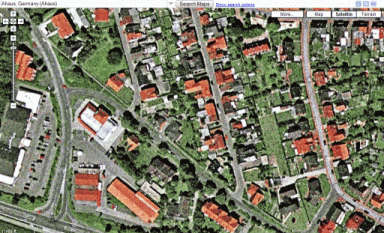
This styles makes the map window bigger, you will find the search at the top left.
Print-, email- and link-button are on the top right.
Because someone asked: Since you need the "Stylish" extension for this, this is not available for Internet Explorer.
## Updated 12. August 2008:
- fixed bugs with Google Maps update (blue bar, no "adress" bar)
- moved everything to the top into a bar, print and send buttons now working
- added ditu.google.com and other languages / domains
- made navigation buttons (Map/Satellite/Terrain, Zoom, ...) transparent - thanks to itsjareds (http://userstyles.org/users/5323)
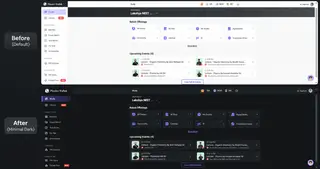
Before
|
After
|
Very nice! But there does not appear to be a way to display the sidebar when you want it (for My Maps, or driving directions); a toggle button in the upper left for that would be perfect. Also, the clicking "edit saved locations" produces an incomplete display of the needed dialog; I think Google has dropped it in favor of My Maps?
I edited it to support better opacity -- check out Google Maps Full Screen
Edit: Great, I guess there's no need for mine then.
Brilliant, again. My eyes are happy, my brains are happy and guess what ? I'm happy, too!
This style was great but now is outdated as google maps has a arrow button to hide the panel. Unfortunately the address bar thing to type in locations doesn't show any more ether.
I recon now someone needs to make a style that just hides the top panel (as you can hide the side panel yourself now) but brings the address bar back into view.
Google has made it a lot better now but still no feature to hide the top panel.
Keep up the good work style guys!
Cool but would you please make it fit to the China version of Google Maps that using the domain name of "ditu.google.com"? I simply add this domain name to your code but it works not as well enough as English version "maps.google.com". I'm not able to fix it on my own. Thank you.
I can't really reate it because I couldn't use it. I use IE7 (at work, it's not my chose) and I couldn't use it. Is it possible? Any tipp about how to do it? Thanks
Very clean! Thanks for posting!
Very nice, but where's my print button gone?
There are a few of us who still dont have have GPS yet...
Amazingly functional and immersive, great job.
One of the best content-tweakers ever; extremely functional, GREAT for screenshots edited/sharpened in GIMP! Thanks very much indeed!!
One more line of code will remove the copyright and terms of use.
Google maps - remove copyright and terms of use
Really love this one. Thank you!
Absolutely awesome!