The recommended way to install user styles is to use Firefox with Stylish.

If you already have Firefox with Stylish, make sure this site is allowed to run JavaScript.
You've installed this user style in Stylish. To uninstall it, open the Tools menu, choose Add-ons, click the User Styles panel on the top, click on the entry for this user style, and click Uninstall.
You've installed this user style in Stylish. To uninstall it, open the Tools menu, choose Stylish, and remove the entry from there.
You've installed this user style in Stylish. To uninstall it, click the wrench icon, Extensions, click Options beside the entry for Stylish, and click delete for the appropriate entry.
You've installed this user style in Stylish, but a newer version is available.
To uninstall this user style, open the Tools menu, choose Add-ons, click the User Styles panel on the top, click on the entry for this user style, and click Uninstall.
The recommended way to install this user style is to .
Tested on: Firefox 3.5.2 -------------------------------------------------------------------- Description:
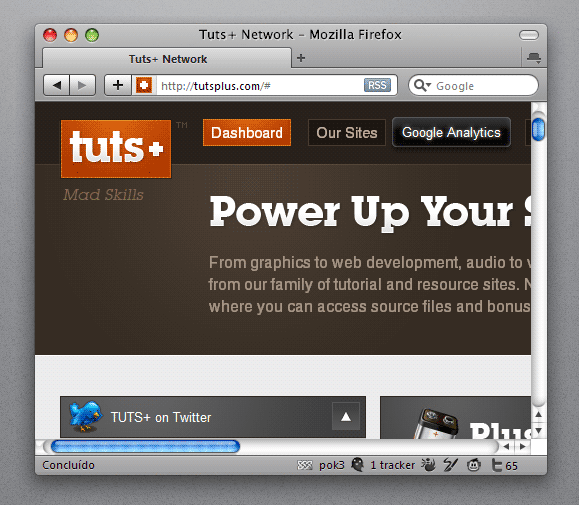
Quick polish in the interface of other extension from my personal "must-have-list": Ghostery. -------------------------------------------------------------------- Notes, setup and options:
I have NOT used a single image for this one. It is pure CSS3. So i think it will work fine only in firefox 3.5+
To get a better look for the statusbar icon, just like in this preview, try this other style too : Pok3 - Ghostery Status Icon -------------------------------------------------------------------- Version History:
- 29.AUGUST.2009 - Ver. 1.0 : First release. -------------------------------------------------------------------