userstyles.org - Fx3.5: FlatStylish (a flat-style theme in CSS)

Author mod_wastrel
Created Jul 12, 2009
Updated Aug 10, 2009
Installs (this week) 1
Installs (total) 683
To use this style, install Firefox and Stylish.
Fx3.5: FlatStylish (a flat-style theme in CSS)
838
19461
Stylish

More Info

++++
Updated to Stylish 1.0.6? Having a problem? See the comment in Fx3: tabs close button (dinner & a show) for info.
++++

Fx3.5: FlatStylish (a flat-style theme in CSS)

12Jul2009: v1 (first GA release), for Firefox 3.5 and above**
The purpose of this style is to get the essential appearance features I want while making the fewest changes possible. Flat-style has long been my favorite highlighting feature of various programs--Firefox, Thunderbird, Office, etc.; and I wanted something easy to implement and maintain... so, here it is.

Derived in part from the original FlatStyle extensions for Firefox by Andreas Westerlind (based on work by Andreas Svensson) and for Thunderbird by Dennis Verspuij, as well as the Flatstyle option of the CuteMenus - Crystal SVG extension by Mel Reyes (MR Tech) et al.
++++
Released under GPL. (http://www.fsf.org/licenses/gpl.html)

FlatStyle 0.9.2.5 (last updated November 10, 2006),
https://addons.mozilla.org/en-US/firefox/addon/988
FlatStyle for Thunderbird 0.9.2.6 (last updated November 18, 2006),
https://addons.mozilla.org/en-US/thunderbird/addon/1055
CuteMenus - Crystal SVG 1.9.3 (last updated June 20, 2008),
https://addons.mozilla.org/en-US/firefox/addon/1330
----

**It works pretty much the same for Firefox 3.0.*, but sometimes the menu highlights don't take effect immediately. You may have to open and close some menus before you see the color change and flat-style highlights.

NOTE:
This style is designed to be used with the "Small Icons" custom setting (Customize toolbars)--the height of the nav-bar is "hard-coded", but if you prefer the large icons, then you can remove that code (as well as change anything else to suit your preference). Obviously, it's also meant to be used only with the Firefox default theme; using it with another theme will give unpredictable results (translation: you're on your own).

NOTE!!! (pay attention... this means you):

This style will display a close button on the last tab. To use it to get a blank page (about:blank) you *MUST* set browser.tabs.closeWindowWithLastTab to 'false' in the Firefox config settings (about:config). Otherwise, Firefox will exit if you click on it (which you probably didn't want). Or you could comment out this feature. Not as serious: the Stop and Reload buttons are combined, so you should reverse them using 'Customize...' (toolbars) before installing this style in order for the "combine" to work properly. (That means the 'Stop' button will have the 'Reload' button to its right. :D)
----
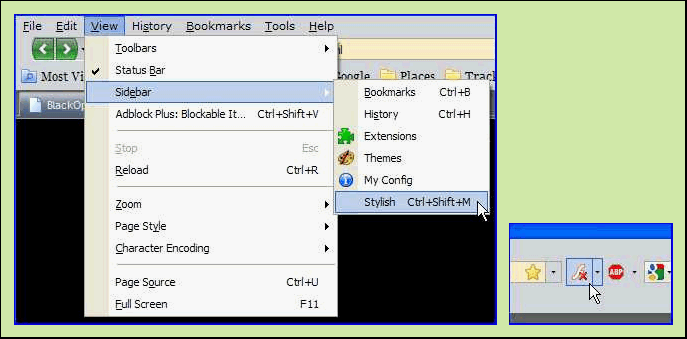
The predominant colors of this style/theme are blue and grey (light and dark). Some fonts are modified to be more visible/legible. Menus and buttons are highlighted using, obviously, flat-style: a thin border with a uniform background color. Drop-markers on toolbar buttons are more uniform--fixing the "distance" problems in Fx3 with dropmarkers being too far away from their associated button (and, sometimes, too close--Flashblock anyone?). Toolbar separators are hidden and most bright-white elements have received a color treatment (for example, input boxes), though feel free to change/remove the colors--color selection is such a subjective thing. My "inspiration" for the color scheme is the Office 2007 Black Firefox theme. There are still a few small things to fix, but nothing that's especially annoying (for me)--these are things I do plan to work on as time permits (for example, the color flip of the checkmarks/radio buttons for hovered items, and uniform close buttons in all places to match the ones on the tabs).

While some windows and elements apart from the main Firefox window are modified appropriately, the primary focus of this first release is the main window--I'm not trying to "theme" all of Firefox... yet (maybe later, maybe never). Feel free to play with it on your own. Also, no specific addons are supported (...well, OK, I make a limited assumption that you're using Stylish... 0.5.9 BTW, but if not, then most of the Stylish-related code is at the very end, so... easy to remove); if you want such support (to get the flat-style highlighting for some addon's window elements), then you should write it yourself. While I may at some point work on such integration, I make no promises to that effect. I wrote this for my use and that of a few friends, and if you want to use it, too, well, that's what it's here for. (Problem reports, however, are welcome [but complaints about the color scheme are not--actually, though, it's very easy to change the grey to some other color: just do a Replace All of 'D4D7DB' with your color of choice... there are about 15 such statements]; use the forum for problem discussions. You can use the forum to make "feature requests" as well... but don't get your hopes up.) :D

See my Fx3.5: FlatStylish tabs (mod blue) style for a feature list and another image; Fx3.5: FlatStylish tabs (mod blue) can be used to reverse the colors for the active and inactive tabs.

Updates: see code for info/dates

Feedback

Discussions

No discussions posted yet. Be the first to ask a question or review this style.