This style is obsolete after the September 2009 board update
Install
The recommended way to install user styles is to use Firefox with Stylish.
If you already have Firefox with Stylish, make sure this site is allowed to run JavaScript.
You've installed this user style in Stylish. To uninstall it, open the Tools menu, choose Add-ons, click the User Styles panel on the top, click on the entry for this user style, and click Uninstall.
Like customizing Firefox? Customize your new tabs with New Tab King.
You've installed this user style in Stylish. To uninstall it, open the Tools menu, choose Stylish, and remove the entry from there.
You've installed this user style in Stylish, but a newer version is available.
To uninstall this user style, open the Tools menu, choose Add-ons, click the User Styles panel on the top, click on the entry for this user style, and click Uninstall.
Like customizing Firefox? Customize your new tabs with New Tab King.
The recommended way to install this user style is to .
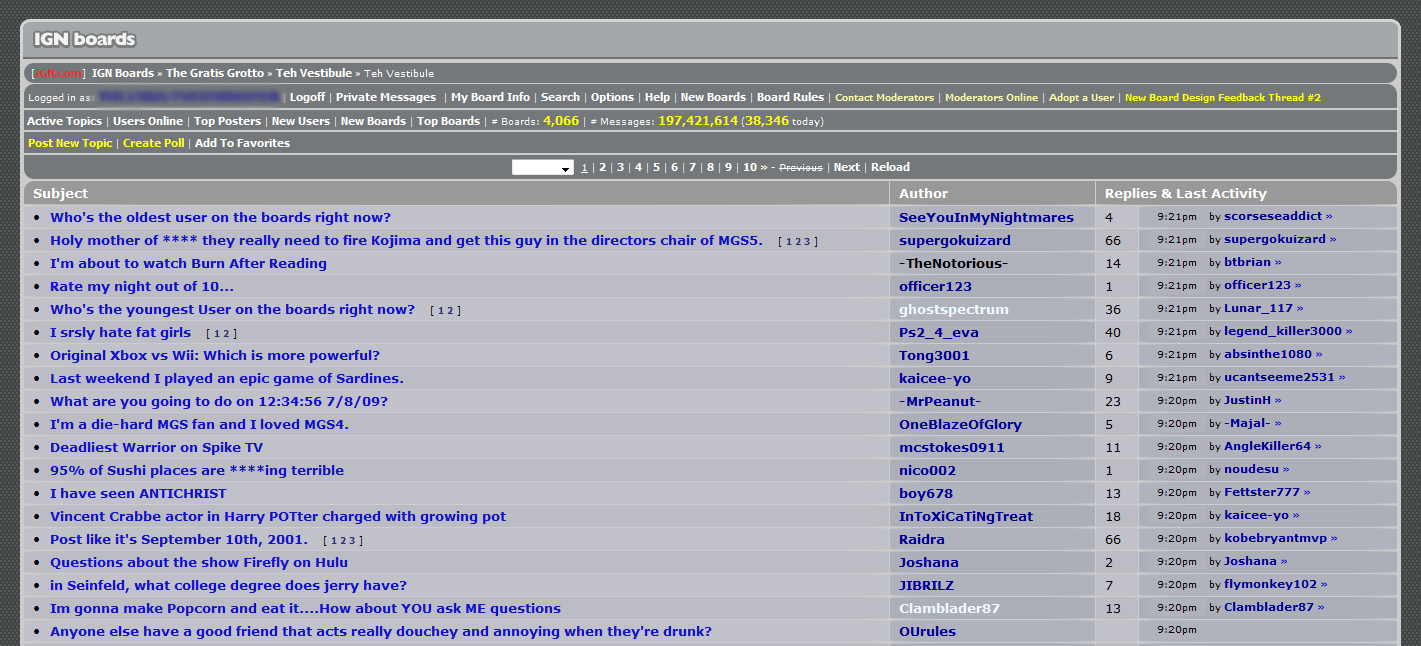
Changes the board layout to a smaller, rounder version. Based on IGN Boards Stylesheet by Mike Piontek and lednerg's Bluetex, many thanks.

Rounded corners, shadows, and poll bevel will only work on higher versions of Firefox (developed on FF 3.5). Images are now hardcoded into the style with data URIs, reduces number of requests. Uses quite a few CSS3 techniques along with proprietary Firefox stuff. As far as CSS effects go, this stylesheet's effects are rather costly to implement. Intended for wider screens (developed on a 1440 x 900 screen).
Official style of the Vesti Tools script.
Update - 7/8/09 (hey, 7, 8, 9) - Fixed a bug that made vesti tools lag, tweaked quotes. For some reason, it does not like sibling selectors at all. Update 2 - 8/6/09 - Got rid of the bulging effect for TDs, too costly