The recommended way to install user styles is to use Firefox with Stylish.

If you already have Firefox with Stylish, make sure this site is allowed to run JavaScript.
You've installed this user style in Stylish. To uninstall it, open the Tools menu, choose Add-ons, click the User Styles panel on the top, click on the entry for this user style, and click Uninstall.
Like customizing Firefox? Customize your new tabs with New Tab King.
You've installed this user style in Stylish. To uninstall it, open the Tools menu, choose Stylish, and remove the entry from there.
You've installed this user style in Stylish, but a newer version is available.
To uninstall this user style, open the Tools menu, choose Add-ons, click the User Styles panel on the top, click on the entry for this user style, and click Uninstall.
Like customizing Firefox? Customize your new tabs with New Tab King.
The recommended way to install this user style is to .
Like customizing Firefox? Customize your new tabs with New Tab King.
The recommended way to install this user style is to .
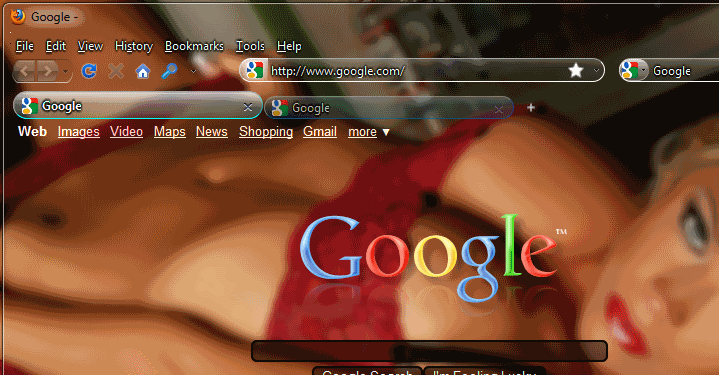
The lazy mans approach to glass every part of firefox including web content. Works with the default theme of firefox 3.5.
Due to the character limit on userstyles.org i had to separate the Glass About Pages from this style, and to top it off you can grab the Google Glass style.
************* NOTE **********************
Your firefox is not frozen you need to hover over the firefox icon on your task bar and click the thumbnail to refresh the screen whenever you turn on or off the style
As the title states this will enable glass on every part of firefox, this includes web content (see makondo's pic), Vista will not apply glass to web content when maximized. You will need to use a style for each website to make full use of this style. If you do not wish to have the glass applied to websites that you do not have a style for i would suggest you use this with |2eason's white list modded glasser, you can find a tutorial for that with the needed files at http://www.sevenforums.com/tutorials/13665-firefox-enable-aero-glass-transparency.html