The recommended way to install user styles is to use Firefox with Stylish.
If you already have Firefox with Stylish, make sure this site is allowed to run JavaScript.
You've installed this user style in Stylish. To uninstall it, open the Tools menu, choose Add-ons, click the User Styles panel on the top, click on the entry for this user style, and click Uninstall.
Like customizing Firefox? Customize your new tabs with New Tab King.
You've installed this user style in Stylish. To uninstall it, open the Tools menu, choose Stylish, and remove the entry from there.
You've installed this user style in Stylish, but a newer version is available.
To uninstall this user style, open the Tools menu, choose Add-ons, click the User Styles panel on the top, click on the entry for this user style, and click Uninstall.
Like customizing Firefox? Customize your new tabs with New Tab King.
The recommended way to install this user style is to .
IMPORTANT:: YOU MUST RELOAD WEBPAGE AND ANY TABS ALREADY OPENED AFTER INSTALLING THIS STYLE TO SEE THE RESULTS OF THIS STYLE and after Uninstalling or Disable YOU MUST DO A Firefox RESTART to REMOVE COMPLETELY!
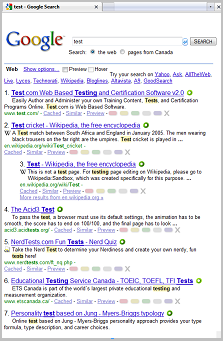
* AUTOHIDES both the Vertical Scrollbars and Horizontal Scrollbars in only the Webpages ! (including textarea scrollbars)

* You can Edit the code and choose to ONLY AUTOHIDE Webpage Horizontal Scrollbars OR ONLY AUTOHIDE Vertical Webpage Scrollbars ! (Instructions are in the code).
BEGINNERS: Autohide means the scrollbars will not show until you HOVER over them.
For More Styles CLick: Barbiegirl ------------------------------------------------ UPDATE#1 JUNE 13 2009: #1 Removed the Scrollbar Corners that could be seen on dark colored webpages. The empty scrollcorner space will be the color of the webpage on hover. -----------------------------------------------------------------------------------------------------------------