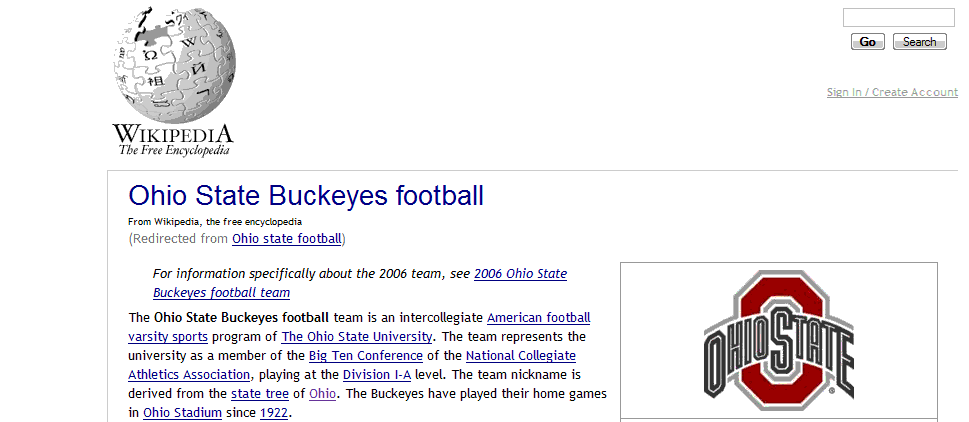
Wikipedia - Clean and Professional

Wikipedia - Clean and Professional
1279

How to install

Created by Nick Roberts. Last updated Mar 27 2007.
10 installs this week, 2443 total.
****

Wikipedia
Clean and Professional
(Version 1.5)
March 27, 2007

-----------------------------------------------
Full credit for the code goes to Chochem who
designed the original "Grey Lady Look" which
you can find on userstyles.org
-----------------------------------------------

Change log:

Version 1.5
-They added some extra links at the top of the
page that didn't match the theme of this style.
Those were removed to restore the original theme.

Version 1.4
- Added article notifications back in. I
didn't feel that they detracted from the
astectics of the page and actually included
valuable information about the article.

Version 1.32
- Reduced H1 font size.

Version 1.31
- Corrected some typos.

Version 1.3
- Fixed a border error in the footer.

Version 1.2
- Fixed instructions on to add tabs back in.

Version 1.1
- Removed the wikitionary mention from script
- Fixed the search bar location
- Fixed the "sign in" text location
- Cleaned up code

Version 1.0
- First public version

This script is designed for someone who wants
an ultra clean Wikipedia which looks much more
professional in layout and font sytle.

There are a few things to keep in mind with this:

1) This is only for the English version of Wikipedia.

2) I removed the tabs. I wanted a skin that would
highlight the article. If you want the tabs back,
remove the following lines of code:

In the (#p-cactions ul li) menu remove the line below:
{display:none !important;}

3) This is for high resolution configurations. It has
not been tested for 800x600 or smaller.

Thank you for downloading!
Nick Roberts

Feedback

Reviews

cleanmbl said on May 15 2008

I concur with couterattack, having good margin on both sides is fine, but no dynamic resizing is a enormous draw back. ***

counterattack said on Oct 29 2007

Very nice style that could be better if it didnt leave empty space on the sides. ****

chochem said on Apr 06 2007

I like - and thanks for the credit (oh and 'wikitionary' is my fault - I wasn't paying attention when I added it to the domain list....)

EDIT: In respsonse to merwyck: "grey lady" does remove some messageboxes because I think that there's too many of them. They tend to get thrown around a lot in minor edit wars and are seldom relevant to the casual reader. More serious notices, such as breach of NPOV (neutral point of view) do display. If you want everything to display, it's simply a matter of deleting the lines:
.cleanup,
.protected,
.linkless
{display: none !important;} ****

merwyck said on Jan 19 2007

Very nice style -- thank you. What I appreciate about this style, in contrast with "grey lady look", is that this one displays annotations that "grey lady" does not.

For an example of what I mean, compare the following page and apply each style individually:

http://en.wikipedia.org/wiki/Paris_Commune

The specific section of interest is under the heading "Social Measures". Using this style we see the editor's message "This section appears to contradict itself. Please see the discussion on the talk page" whereas with the "grey lady" style, that editor's message is invisible.

The editor message in question does seem to disappear behind a picture in the article, however. Is there any way to fix that?

Thanks again for a wonderful style! ****

Discussions

Start a new discussion

Try KallOut Accelerators for Firefox

Mail the admin.