The recommended way to install user styles is to use Firefox with Stylish.
If you already have Firefox with Stylish, make sure this site is allowed to run JavaScript.
You've installed this user style in Stylish. To uninstall it, open the Tools menu, choose Add-ons, click the User Styles panel on the top, click on the entry for this user style, and click Uninstall.
Like customizing Firefox? Customize your new tabs with New Tab King.
You've installed this user style in Stylish. To uninstall it, open the Tools menu, choose Stylish, and remove the entry from there.
You've installed this user style in Stylish, but a newer version is available.
To uninstall this user style, open the Tools menu, choose Add-ons, click the User Styles panel on the top, click on the entry for this user style, and click Uninstall.
Like customizing Firefox? Customize your new tabs with New Tab King.
The recommended way to install this user style is to .
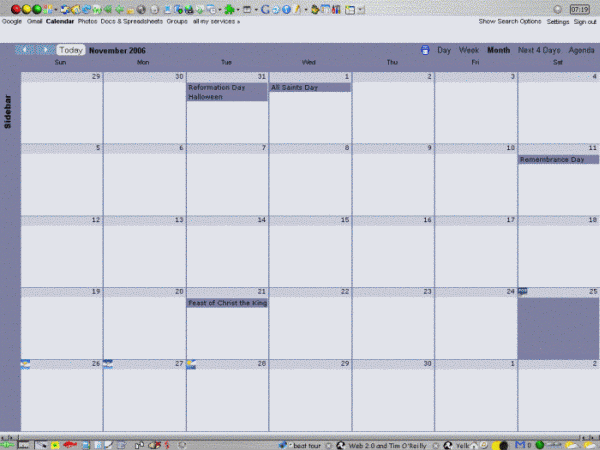
I wasn't going to post this 'til I finished it but it looks like that may not be for awhile so I'm posting it "as is". IMNSHO, it's still better than the original.
As usual, LouCypher's show/hide Sidebar's incorporated. He really ought to sell that to Google. 8-þ
If anyone wants to work on the "to do" list or add to it, here it is: Correct calendar width. Correct font size and input areas backgrounds in "event details", "Settings" and "Search Options". Correct iframe background in "Settings > Import Calendar". Reposition or remove redundant "Back to Calendar Save Cancel" in "Settings" and "event details". Organize the code.
Updated 1/31/07 Caught up with Google's change to the "Corner Bookmarks", corrected a couple of the backgrounds and incorporated a slightly modified version of sewpafly's "Hide Appbar" modification.