The recommended way to install user styles is to use Firefox with Stylish.
If you already have Firefox with Stylish, make sure this site is allowed to run JavaScript.
You've installed this user style in Stylish. To uninstall it, open the Tools menu, choose Add-ons, click the User Styles panel on the top, click on the entry for this user style, and click Uninstall.
Like customizing Firefox? Customize your new tabs with New Tab King.
You've installed this user style in Stylish. To uninstall it, open the Tools menu, choose Stylish, and remove the entry from there.
You've installed this user style in Stylish, but a newer version is available.
To uninstall this user style, open the Tools menu, choose Add-ons, click the User Styles panel on the top, click on the entry for this user style, and click Uninstall.
Like customizing Firefox? Customize your new tabs with New Tab King.
The recommended way to install this user style is to .
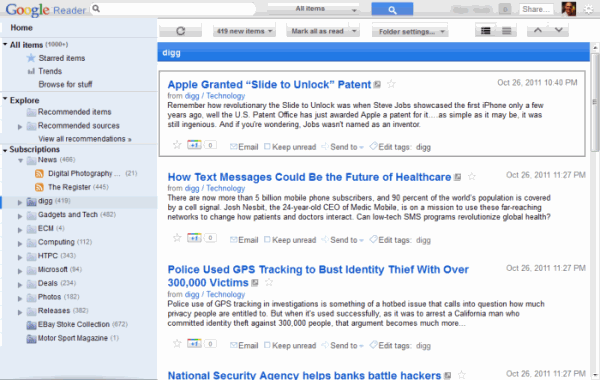
21st July : Moved the "people who like..." bits out of the way into a fixed width block down the right hand side. There are a few "hide" styles already but perhaps I may take some notice of it in the future, who knows.
3rd July : I know its taken a while, but as requested by Mikooster the search box is now rounded, and a few other little changes
12th January : Removed the reduced width on the sidebar as it was stopping it being minimised. Its now back to 260px from 200px, so not too terrible.
16th December: Changed the Expanded/List tabs to be the same as Jon's and made the logo better
For typophoto the original didn't have a different background so I wont add one, but if you add the following
#nav li.tree-selected { background-color: red !important; }
towards the end of the "Subscriptions Tree" section of the style you will get a different background, feel free to change the colour :) Enjoy Mark