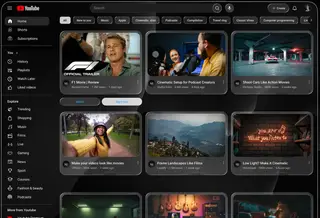
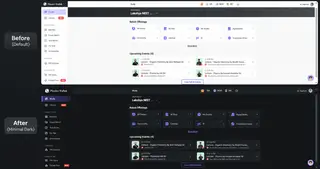
Maximizes the area for displaying articles by removing all the stuff that you probably never use anyway. Be ready to learn your keyboard shortcuts though because this is a really stripped down interface.
If you want more flexibility, try the Google Reader Absolutely Customizable Greasemonkey script ( http://userscripts.org/scripts/show/58577 ). It has an options dialog to allow you to choose which customizations you want without having to edit the code.
Works with the new Google Reader design! Fully compatible with Google Reader Absolutely Dark & Google Reader Absolutely Dark Blue.
If you have any suggestions or see something that's screwed up, let me know.
----------------
Updates
----------------
2009-11-12
* Fixed problem with displaying tags and send to drop down items for entries
2009-10-25
* Hid Explore option
* Hid All Items section
* Hid feed settings drop downs in side navigation
* Refactored the code
2009-09-07
* Unhid mark all as read, refresh, and details items (by popular demand)
* Hid item actions
* Removed chevrons from feed link
* Allowed item titles to expand to full width of item
2009-07-16
* Removed the "[x] people liked this" line
2009-02-03
* Fixed vertical alignment of +/- icons for subscription labels in nav bar
2009-01-21
* Right justified all messages and moved them below the search box (http://forum.userstyles.org/comments.php?DiscussionID=2179 & http://forum.userstyles.org/comments.php?DiscussionID=2208)
2008-12-17
* Fixed horizontal spacing when viewing folders in list view
2008-12-11
* Made title underline match title text
* Fixed entry text bouncing in expanded view
* Removed link icon from entry title bar
2008-12-08
* Added highlighting for current entry in list view (http://forum.userstyles.org/comments.php?DiscussionID=2092)
* Added back search controls due to popular demand (hover over search box area to show the buttons)
2008-12-07
* Fixed problem with large fonts in list view (http://forum.userstyles.org/comments.php?DiscussionID=2087)
Before
|
After
|