GMail - Remove ads and relocate action links

GMail - Remove ads and relocate action links
16328
11768

Install

The recommended way to install user styles is to use Firefox with Stylish.

If you already have Firefox with Stylish, make sure this site is allowed to run JavaScript.

By lOtR.
Created Nov 03 2008, last updated Jul 07 2009.
47 installs this week, 3852 total.
Average rating: Good

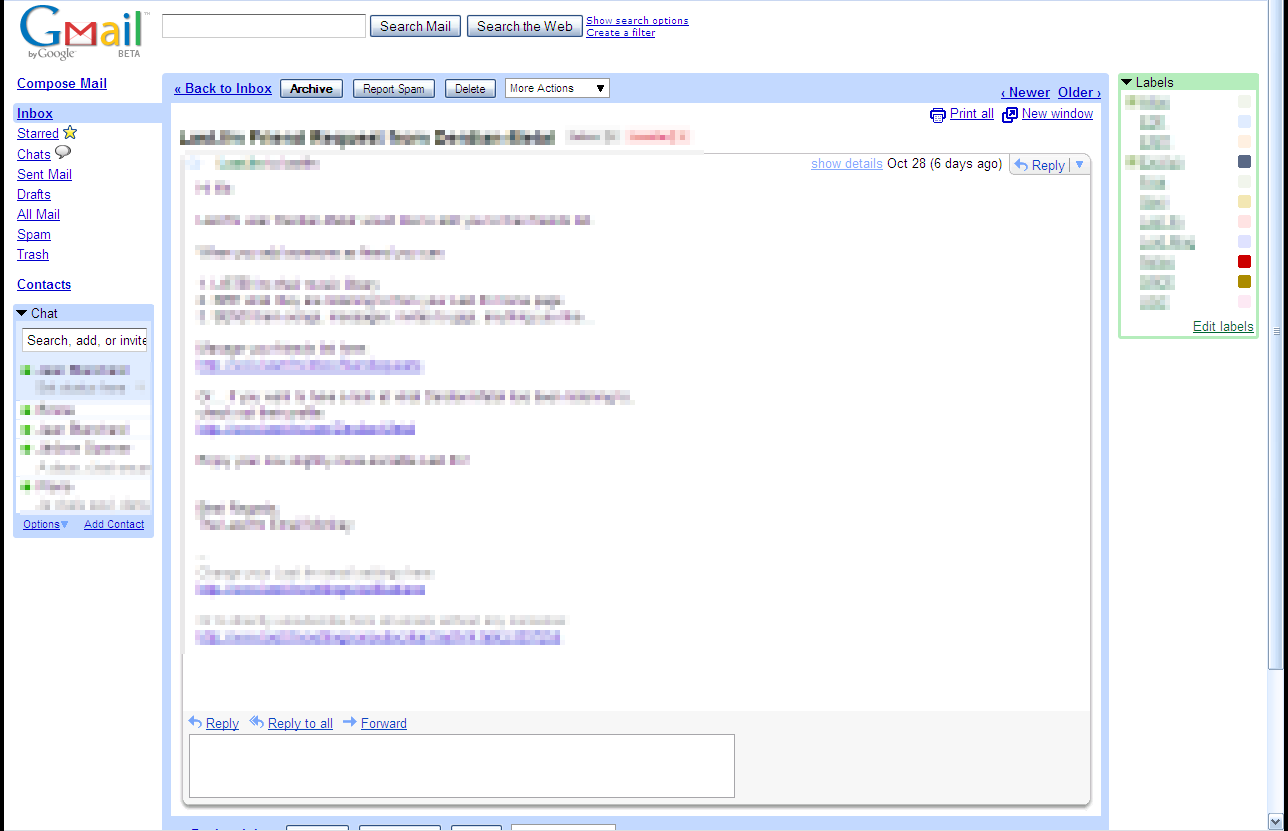
This style removes the ad panel from Gmail or Google Apps Mail, relocates the action links (Print all, new window, etc.) from the side bar to above the mail subject, and widens the mail content area.

Alternative versions also exist, where the action links are moved above the content area, instead of extending the message title area : GMail - Remove ads and relocate action links (alt) or GMail - Remove ads and relocate action links(alt2) for the default theme.

History :
Version 0.1 - 2008-11-05
- Initial Release

Version 0.2 - 2008-11-06
- Corrected the color of the border that replaces the side bar when reading a mail from inside a label or the spam/trash categories.

Version 0.3 - 2008-11-27
- Updated to the new GMail themes (this should look OK with most of them, and with accounts where themes are not activated yet)
- Overall simplification - should make it more robust to GMail modifications
- Added comments to the CSS, to make it easier to understand or adapt.

Version 0.4 - 2009-01-23
- Fix the ad area when the browser window is narrow

Version 0.5 - 2009-02-10
- Integrate with the latest gmail updates.

Version 0.6 - 2009-02-17
- The action links are now in the right order (first one on the left).
- Fixed the action links in the "New windows".

Version 0.7 - 2009-02-25
- Integrate with the latest GMail updates

Version 0.8 - 2009-03-04
- Integrate with the latest GMail updates (again)

Version 0.9 - 2009-07-07
- Integrate with the latest GMail updates

Note : if you have a suggestion or want to report a bug, start a discussion, so that I can answer you...

Before
After

Discussions [Start new]

Mail the admin.