The recommended way to install user styles is to use Firefox with Stylish.
If you already have Firefox with Stylish, make sure this site is allowed to run JavaScript.
You've installed this user style in Stylish. To uninstall it, open the Tools menu, choose Add-ons, click the User Styles panel on the top, click on the entry for this user style, and click Uninstall.
You've installed this user style in Stylish. To uninstall it, open the Tools menu, choose Stylish, and remove the entry from there.
You've installed this user style in Stylish. To uninstall it, click the wrench icon, Extensions, click Options beside the entry for Stylish, and click delete for the appropriate entry.
You've installed this user style in Stylish, but a newer version is available.
To uninstall this user style, open the Tools menu, choose Add-ons, click the User Styles panel on the top, click on the entry for this user style, and click Uninstall.
The recommended way to install this user style is to .
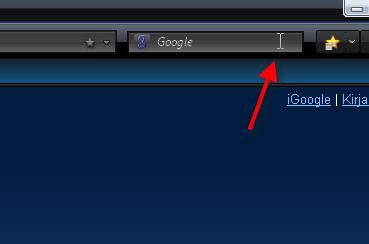
This style hides searchbar leaving only 20px of empty space where it's located. It appears when hovered over with a mouse pointer and stays open when cursor is inserted in textfield. Removed search engine dropdown arrow and magnifying glass due to little or no use at all. Changing search engines works the same without the dropdown arrow and you can execute search by hitting enter. Tried this with default and nasa nightlaunch themes (in Firefox 3.0.2), seems to work at least in those two. Edit: With this style CTRL + K opens google's searchpage (or whatever searchengine you have first in line) when searchbar hidden.
Scroll Search Engines (https://addons.mozilla.org/fi/firefox/addon/3696) is a firefox addon that lets searchengines to be scrolled with a mousewheel. Very handy if you have lots of engines in the list like i do.