The recommended way to install user styles is to use Firefox with Stylish.

If you already have Firefox with Stylish, make sure this site is allowed to run JavaScript.
You've installed this user style in Stylish. To uninstall it, open the Tools menu, choose Add-ons, click the User Styles panel on the top, click on the entry for this user style, and click Uninstall.
You've installed this user style in Stylish. To uninstall it, open the Tools menu, choose Stylish, and remove the entry from there.
You've installed this user style in Stylish. To uninstall it, click the wrench icon, Extensions, click Options beside the entry for Stylish, and click delete for the appropriate entry.
You've installed this user style in Stylish, but a newer version is available.
To uninstall this user style, open the Tools menu, choose Add-ons, click the User Styles panel on the top, click on the entry for this user style, and click Uninstall.
The recommended way to install this user style is to .
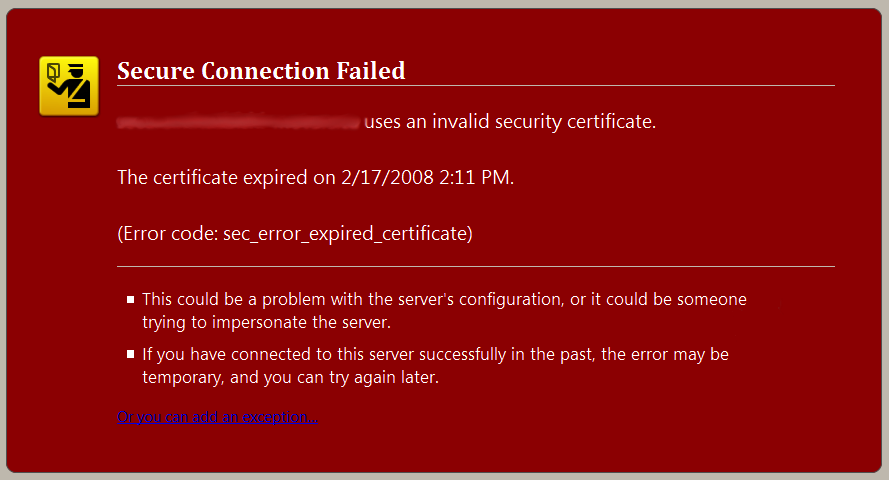
Red background on sites that fail certificate validation (a more visual warning) so that you browse safely and know visually when something is going wrong
Features: + Appears on any site with a certificate error + Fully customizable style, for your own enjoyment. + Passport officer logo as background image top left + White text + Red Background - Mozilla standard warning background color
Text of the warning reads: <<website>> uses an invalid security certificate. The certificate expired on <<date time>> (Error code: sec_error_expired_certificate) This could be a problem with the server's configuration, or it could be someone trying to impersonate the server. If you have connected to this server successfully in the past, the error may be temporary, and you can try again later.
Instructions: You may also change the background HEX color, as well as the foreground text color.
Browser Versions Supported: Firefox 3+ only
Changelog: 1.0.0.1: + Now uses the proper Mozilla Red (used on all other error pages, and about:mozilla) + Added new after image screenshot to reflect this change