Combine Stop/Reload buttons

Combine Stop/Reload buttons
2
*****
Last updated Jun 19 2009
472 installs this week, 32733 total.

Combine the Stop and Reload buttons into a single button.

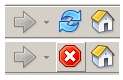
NOTE... You have to right-click on the toolbar, select "Customize" and reverse the position of the Stop Button and the Reload Button as shown in the "Before" screenshot below (*)

(*) Some users of Firefox 3 have reported they did not have to reverse the position of the stop and reload buttons.

If it doesn't work one way, try it the other way :)

Before
After

Install options

Feedback

Reviews

Rolle said on Jun 19 2009

Just great add on! *****

Dawudd said on May 11 2009

Any way to combine further the Stop and Reload buttons with the Go button?

UPDATE: I answered my own question with Smart Stop/Reload/Go Button. *****

Niraj said on May 06 2009

This is what I call a great addon ... beautiful at the concept stage itself ... and accomplished with such a small code. styles like these make one ask a question ... why did not anybody think of this before !!!

Thanks a lot !!
*****

Izzy said on Apr 21 2009

Great stuff! Thanx! However, I switched to the style also including the throbber.

@zephyrer (and all others affected by the same misfit):

I had the same problem initially: Yes, the stop button was hidden. But as soon as a page was loading, it reappeared - which is due to the CSS rule used, expecting the reload button to immediately follow the stop button. I don't know why, but in my FF3 they were ordered the other way round. Solution: Right-click the toolbar, click on the link to adjust it, then move the buttons to the right order and click done. Et voila: Now everything works as expected. *****

Jason Barnabe (np) said on Apr 06 2009

I put menus, toolbar buttons, URL bar, and search bar in the same row, so this is very useful to save on space. *****

zephyrer said on Mar 29 2009

My FF updated to 3.0.8, and this style doesn't work for reload button now. Who could fix this bug? ****

purpler said on Mar 04 2009

yeah, just what i need :)
thanks, keep up *****

Father Christmas said on Feb 27 2009

Fantastic!! *****

alexteq said on Feb 19 2009

so simple so great *****

mvl said on Jan 30 2009

thanks. ****

Fox said on Jan 24 2009

What a kick-ass add-on! :) THANKSSSSSSSSS *****

drake said on Jan 02 2009

yet simple, this is probably one of the best userscript on this site. I cannot use mozilla without this script. I absolutely going to click on something on the menu and then it moves because another button appears. *****

BattleProgrammerTidus said on Aug 30 2008

I just say: Great! *****

metalmeric said on Aug 22 2008

I've been using this for over a year. Still works great! *****

Gordon Pham-Nguyen said on Jul 24 2008

i just installed on FF3 and it works perfectly for me *****

bugmenot2 said on Jun 24 2008

@Peter Gadd and Desi911 read the author's directions. You have to move the refresh button to right of the stop button. *****

Desi911 said on Jun 24 2008

Yup same problem as Peter Gadd said. I guess the script hasn't been updated since FF3 came out. Used to work great with FF2. No worries...I'll wait :D ****

Peter Gadd said on Jun 23 2008

Strange - after installing this script and clicking on the 'reload' button, whichever button is next to the reload button changes to the 'stop' button (on my FF3 it is the 'home' button).
I thought the purpose of this script was for the 'reload' button to become the 'stop' button and v.v. Can anyone help please? *

IlanF said on Jun 20 2008

Works perfectly on FF3. *****

AaronCompNetSys said on Jun 18 2008

So simple, its magic. But can CSS make me a grilled cheese sandwich too?
Thanks! *****

Crazed Geek said on Jun 12 2008

Works as expected. Now I can have the thinnest browser evar. Thank you dougeeebear! *****

tbone said on Jun 05 2008

Very nice. Works well with FF3 RC2. *****

ShAdY said on May 21 2008

it's possible to do like safari, that, when page is loading the button stops and when page is already loaded the button refreshs? ***

Alvin Brinson said on May 11 2008

Was about to complain about it in 3.0b5, but after I reread and saw that I had to change the order of the stop/reload buttons, it works now.

Isn't reload/stop the default order though? I don't remember switching the buttons myself before... ****

rude-dude said on May 01 2008

works in ffx 3 beta 5 too *****

vbielawski said on Apr 24 2008

Nice. *****

Dman said on Apr 15 2008

That's really nice!

@conen: If you see both at once when loading, make sure the buttons are in the correct order. I forgot that.

dman *****

neko said on Apr 02 2008

works great in FF3 beta 5 too. *****

ddsafsdfgs said on Mar 22 2008

Great... Works with FF3 Beta 4 (I use Portable)
(just remember to do as the picture says) *****

Lain_13 said on Feb 27 2008

Perfectly work on Fx3.
*****

dennisalcayde said on Feb 11 2008

fantastic... *****

vincew said on Jan 26 2008

Nicely done! *****

El Casey said on Jan 01 2008

Very nice...I'm a major "real estate" increase buff. *****

Big Slim said on Dec 08 2007

Very Nice. *****

FLskydiver said on Oct 13 2007

Excellent! Thank you! *****

Slash_Z said on Sep 29 2007

More space is always welcome!

[Opera style]

Very nice! *****

ScathaDragon said on May 30 2007

Something I've been looking for a while now! Awesome work! *****

slippiefist said on Apr 22 2007

This works perfectly on Flock! Thanks very much. Opera style! *****

s@ndman said on Mar 29 2007

Great stuff!!! *****

AA Boy/Smartboy said on Mar 06 2007

I find that I like it the same way. Thanks for the code! *****

hughman said on Mar 06 2007

I find it more usefull to place the button refresh before stop than the opposition, in fact. In this case, when a page is loading, the stop button will appears automatically, and when the page has been loaded, it will disappear. Otherwise, if the page has not been loaded completely and at the moment you want to refresh the page, you have to click twice.:) *****

bindegal said on Feb 28 2007

Now that's nice, real nice ****

Lysias said on Feb 27 2007

Works as intented. Good job! Nice to get rid of one more extension by using a Stylish script. *****

brim4brim said on Jan 21 2007

Not much to say other than it does what it says it does so if you want to combine these two buttons then this does it.

Would prefer not to have had to modify the button layout first but I'm sure theres a reason for it. *****

myf said on Jan 13 2007

Worth to include directly to the userChrome.css *****

Scott G said on Jan 10 2007

Another logical Combine Stop/Reload buttons style !!

Why don't the FF developers spend time doing "logical" coding like this instead of wasting time what the backspace button does ?
*****

the DtTvB said on Jan 08 2007

Perfect! Thank you very much! *****

AgentSierra said on Dec 09 2006

Love it, thanks! *****

Jaymoon said on Nov 29 2006

Works perfect! I kinda got used to this setup with Flock, but once Firefox 2.0 came out, I never noticed I loved the Stop/Refresh as one button feature so much. *****

t_burnout said on Nov 05 2006

Thanks for the updated instructions :D *****

jw25 said on Nov 04 2006

This is one that you don't want to be without. Nice, simple, and always works. *****

slavos1 said on Aug 23 2006

very useful, briliant idea *****

Jhon said on Aug 09 2006

Very useful for navigating. ****

arantius said on Jul 23 2006

Wonderful! Much better than an extension to handle it. *****

medigerati said on Jul 06 2006

Brilliant idea. Easy install and very handy. I'm all for reducing space! *****

jakev said on Jun 28 2006

Worked perfectly.. and the idea makes sense. nice job. *****

Lavve said on Jun 13 2006

Love it!
It doesn't work with the IE Tab extension though. It shows the stop button all the time...
Thanks dougeeebear! *****

ardbeg said on Jun 10 2006

This is a classic "this should be standard" modification. This style lets me get rid of an extension, since obviously three lines of code is more efficient. *****

RaveN said on Apr 20 2006

Awesome *****

tostada said on Mar 27 2006

Nice. *****

timendum said on Mar 24 2006

Good idea, but my reaload button never hides... ***

Shadowtech said on Feb 26 2006

Simple, yet quite clever. Nice work. ****

Micah Bucy (aka eternalsword) said on Feb 25 2006

More space is always a good thing. *****

Discussions

Start a new discussion

Try KallOut Accelerators for Firefox

Mail the admin.