Stylish - Menu/Button Icons

Stylish - Menu/Button Icons
552
****½
By ChoGGi
Last updated Oct 26 2007
8 installs this week, 1738 total.

tested with Stylish v0.5.2

@Zathman finally got around to testing it on linux and your right theres a fair amount messed up, i'll see what i can do

Instructions:
if you use this with Gecko - Icons (w/ CuteMenus SVG) then you need to (re)apply this style after you apply/update the moz icons style
or you can append this one to the bottom of the moz icons style (dont include the @namespace line)

if you want disabled items to show up remove the line below this comment
/*disabled items*/
to not have radio/check boxes changed remove the lines between
/*radio/checkbox*/

for v0.4:
http://choggi.googlepages.com/Stylish.v0.4.css.7z

uses CuteMenus Crystal SVG icons/code, code from Stylish - Use prettier enabled/disabled icons
Update:
the style doesnt use mosaic.png from Cutemenus Crystal SVG anymore.
added icons to stylish menu items and !important/It's All Text! buttons
Update2:
added icons to Basic/Advanced buttons
changed icons for It's All Text!/Color...
added icon to clear button
Update2:
added icons to DOMi context menu
Update3:
fixed icons in View -> Page Style -> Global Styles
fixed find more styles for thunderbird menu icon
changed treerow colours
changed tb write style icon to ff one
compressed icon file a bit more

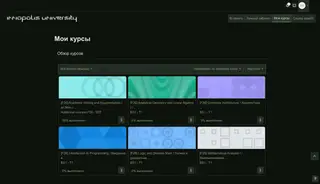
Screenshot

Install options

Feedback

Reviews

CSS-Freak said on Oct 26 2007

It is actually a really nice style - but it effects the whole Firefox GUI, which sucks. (especially all the check boxes) ***

Zathman said on Apr 14 2007

ChoGGi - http://links.zathland.net/screenshots/ses/
---------------------------------------------
The 'Save" and "Cancel" buttons don't have icons for me.
I'm using Firefox 2.0.0.3 in Gnome on Gentoo Linux.

Other than that - Excellent work! *****

danny said on Apr 05 2007

Great, great, great style. *****

chancewen said on Mar 06 2007

Great !! When i update the stylish and restart cutemenus,the problem is solved,
thank you very much :)
---------------------------------------------
in view->page style,the stylish states can't see if they are clicked or not
when i close other stylish and use firefox default theme,but the problem still happen.
thanks for your help.

before use Stylish - Menu/Button Icons
http://pic.myidk.com/jpg/1021140362007.png

after use Stylish - Menu/Button Icons
http://pic.myidk.com/jpg/1023310362007.png *****

lpz3nc said on Nov 03 2006

can you please update to v1.7.1

XerBlade said on Sep 29 2006

*****

arteekay (rtk) said on Sep 24 2006

Wow, I'm in awe of your iconification kung-fu. Good work. Couple of small issues I wonder if you'd take a look at.

1. The bold on hover for everything causes the elements to jump around quite a bit, so I ditched the font-weight in /*borders/margins/padding*/.

2. The selected treechild font is barely visible when an item is selected that has the grey background. appears to be offwhite text on a white background. *****

Lanik said on Sep 21 2006

Wow that looks great, I like it, only one complain the unused menus are automatically hidden any way to undo that? *****

Uncle Spellbinder said on Sep 18 2006

Fantastic. Brings some much needed color to Stylish. THANKS! *****