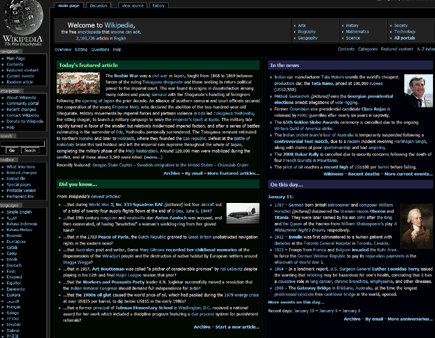
The author has marked this style as obsolete.
Don't worry, my super-popular style has moved, to here: http://userstyles.org/styles/4955 You guys are awesome--please continue to report bugs at that site now!!


Don't worry, my super-popular style has moved, to here:

http://userstyles.org/styles/4955
You guys are awesome--please continue to report bugs at that site now!!
Haven't tested it thoroughly yet, but it looks fantastic!
I actually thought the bluish-green boxed were intentional, until I read that they weren't. Nonetheless, I really like them, they provide a means of immediate contrast for cognitive separation. Overall, this script works very well for me. My only concern is that on chemical/molecular pages, I can't see the print inside the box with the graphical representation of the molecule in question. Beyond that, I am not sure what else I may be missing. I think you should first concern yourself with visibility, and let aesthetics follow later.
Shingoshi
Some more darkened bits & bobs inc pre tags for Banzai
div[class="messagebox cleanup metadata"] { background: #070707 !important; }
div[id="catlinks"] { background: #070707 !important; }
.searchButton { color: #070707 !important; }
div[class="messagebox cleanup"] { background: #070707 !important; }
pre { background: #4F4F4F !important; }
pre tag need styles
http://en.wikipedia.org/wiki/Join_%28SQL%29
great theme
"Today.27s_featured_article" is an id and name on an anchor before the heading, not the heading itself. You could select that heading with a[id="Today.27s_featured_article"] + h2, assuming they're consistent with it.
nice, but what about "http://www.wikipedia.org/"
An ad hoc solution to your h2 problem could be replacing "h2" with "tr > th > h2" (see http://blog.userstyles.org/?p=45 for details). As far as I can tell it'll only 'trigger' on the front page where you want it. As for the id="Today.27s_Featured_Article" - it doesn't seem to apply to the h2 element, so I wouldn't figure that could work...
How about a screenshot?