The author has marked this style as obsoleted by Youtube - Just the video please.


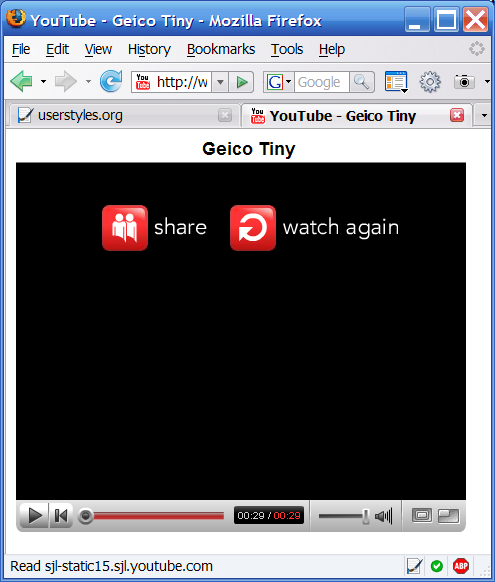
Removes everything except for the video and title on YouTube. Inspired by Youtube - Just the video please by pile0nades.
This version uses a LOT less code.
@Tweakster: You're code doesn't make the video bigger for me. And you should really give your rating to Youtube - Just the video please because this is just a reimplementation of his idea.
/* +++ changelog +++
July 17, 2007
- original release
*/@namespace url(http://www.w3.org/1999/xhtml);
/* Home Page Only */
@-moz-document url(http://youtube.com/) , url(http://www.youtube.com/) {}
/* Video Page Only */
@-moz-document url-prefix(http://youtube.com/watch) , url-prefix(http://www.youtube.com/watch) {
#commentsDiv, #dVidsDiv, #aboutExploreDiv, #vResponseParent, #ratingMessage, .actionsDiv, .rating, .rating ratingCount, .statsDiv, .spacer, #actionsAndStatsDiv, #logoTagDiv, .utilDelim, #utilDiv, #gNavDiv, #leaderboardAd, #gNavBottom {display: none !important;
}
#video_title {margin-left: 20% !important;
}
}/* All of Youtube */
@-moz-document domain(youtube.com) {
#footerDiv, #hpContentBlock padT20 padB20, .hpSideBlock {
display: none !important;
}
}
This is a great script, but, as of lately, it needs an update. Or is there a replacement/change out there that I have missed?

This could be really intresting, except in some cases you're only getting a link to part 1 of a series and you want to see those other links. Oh well.
There are other things you could incorporate.
@-moz-document domain(youtube.com) {
embed, embed > *,
param, param > *,
object, object > * {
padding: 0 0 0 0 !important;
margin: 0 0 0 0 !important;
border: none !important;
-moz-background-origin: content !important;
-moz-box-align: stretch !important;
-moz-box-pack: center !important;
-moz-background-clip: border !important;
-moz-box-sizing: border-box !important;
-moz-float-edge: border-box !important;
}
div:not(:first-child),td:not(:first-child),#logoTagDiv {
display: none !important;
-moz-binding: none !important;
}
#baseDiv {
width: auto !important;
text-align: center !important;
}
}With all this, the videos will be as big as their containers no matter what, so you can detach the video container as a floating block element and it'll expand as big as you want.